
How Facebook Advertising Management Works: Targeting, Budgets, and Campaign Structure
TL;DR: Facebook ad management is the process of creating, implementing, and improving paid campaigns on Facebook to reach a particular audience and meet particular business goals. It uses Facebook Ads Manager (which is part of Meta Ads Manager) and requires an accurate audience targeting, a properly installed Facebook Pixel, continuous budget optimization, and ongoing performance tracking. Or, you can treat it as a one-time setup instead of an ongoing process. Businesses that do this see ad costs go up and results go down. Markro Digital: Paid social, including Facebook advertising, starting at $799 per month.
A local service business ran Facebook ads for three months straight. Clicks were coming in. The ad spend was going out. But leads weren’t converting into customers, and nobody could say why.
The problem wasn’t the ad creative. It was that no one had set up the Facebook Pixel correctly, so there was no data on who was actually taking action on the website. The campaign was targeting a broad, generic audience instead of people who had already shown interest. Budget was split evenly across ad sets that were performing very differently.
None of that is unusual. Most businesses that try Facebook ads on their own hit the same wall: spending money without a system behind it.
This guide covers what Facebook advertising management actually is, how it works from setup to optimization, and what separates a managed campaign from a boosted post.
What Is Facebook Advertising Management?
Facebook advertising management is the planning, developing, executing, and optimizing of paid ad campaigns on Facebook to target a specific audience and reach specific business goals. It addresses everything from campaign strategy and audience research to ad creative, budget allocation and ongoing performance tracking.
Facebook alone is just one part of Meta’s broader advertising ecosystem, which also includes Instagram, Messenger and the Audience Network. Usually, Facebook advertising management includes all of these placements, not just Facebook.
Why Facebook Advertising Management Is Different From Boosting a Post
Boosting a post is a simplified promotion with limited targeting options and minimal control. Running a properly managed Facebook ad campaign through Ads Manager gives full control over objectives, audience, placements, and budget. Boosting reaches more people. Management reaches the right people, at the right cost, tied to a measurable goal.
How Facebook Ads Manager Works
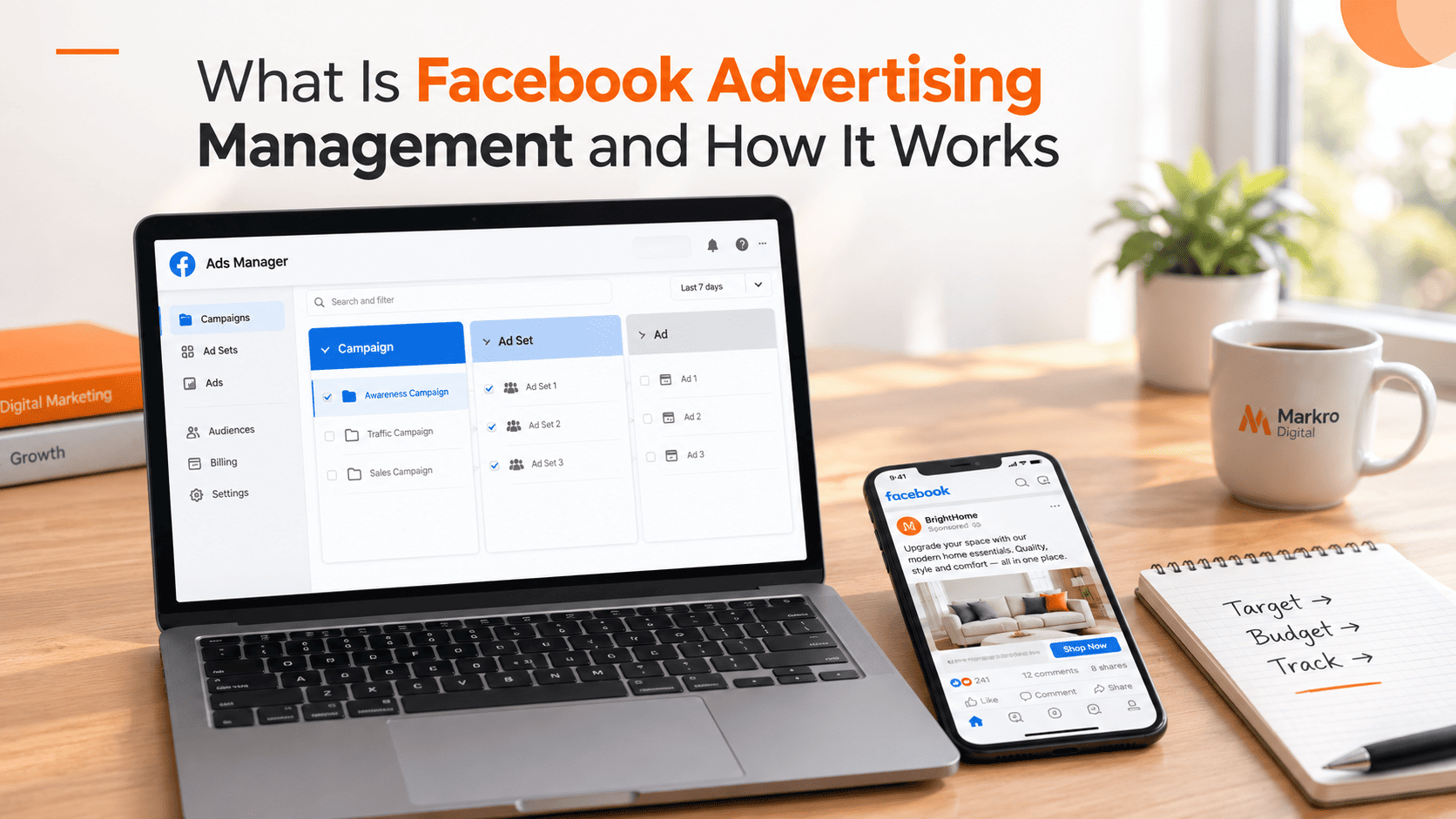
Facebook Ads Manager is Meta’s platform for building and running ad campaigns. In its Facebook ads breakdown, HubSpot explains that Ads Manager campaigns are structured in three layers: the campaign level (objective), the ad set level (audience, budget, placement), and the ad level (creative and copy).
Three Levels of Facebook Campaign Management
The success of an effective Facebook campaign depends on correctly structuring these three levels: Campaign level: What the campaign is trying to achieve, such as traffic, leads, conversions or engagement.
- Ad set level: Defines who sees the ad, where it’s shown, and how much is spent.
- Ad level: Defines the actual creative, copy, and call to action the audience sees.
A campaign with the wrong objective at the top level will underperform no matter how good the ad creative is, because Meta’s algorithm optimizes delivery based on that objective.
Facebook Ad Targeting: How It Actually Works
Facebook ad targeting allows advertisers to target specific groups of people by geography, age, gender, interests, behaviors and custom audiences such as people who have previously visited a website or interacted with a business page.
Core Facebook Ad Targeting Options
- Targeting by Location & Demographics (age, gender, language, geography)
- Interests and behaviors targeting: Activities and interests followed on the platform.
- Custom audiences: Created from existing customer lists, website visitors or page engagement.
- Lookalike audiences: New customers that look like existing customers.
According to Sprout Social’s guide to Facebook advertising, custom and lookalike audiences always outperform broad interest-based targeting, because they’re based on actual customer behavior, not assumptions.
Facebook Pixel Setup: The Foundation of Tracking
The Facebook Pixel is a piece of code that you put on your website that tracks visitor behavior and helps you run retargeting ads and measure how well your campaign is actually performing. Without it, Facebook ad management is blind. You can see clicks and impressions, but you can’t see what happens after someone lands on the website.
What Facebook Pixel Setup Enables
- Tracking specific actions, such as purchases, form submissions, or page views
- Building custom audiences from website visitors for Facebook remarketing
- Measuring return on ad spend at the campaign and ad set level
- Feeding data back into Facebook’s algorithm to improve future ad delivery
A campaign running without proper Facebook Pixel setup can generate traffic, but it can’t confirm whether that traffic turned into a lead or a sale.
Facebook Remarketing: Reaching People Who Already Know the Business
Facebook remarketing targets people who have already engaged with your business, whether that means visiting your website, watching a video, or engaging with a post. These audiences convert better than cold audiences because they are already aware of the business.
WordStream’s guide to Facebook advertising points out that remarketing campaigns typically produce a lower cost per conversion than cold-audience campaigns, since the audience has already moved partway through the buying decision.
Facebook Ad Budget Optimization
Facebook ad budget optimization means allocating spend toward the ad sets and audiences that are actually producing results, instead of splitting budget evenly across every option.
Social Media Examiner’s Facebook ads coverage continually stresses that budget optimization is not a one-time setup step. It’s a repetitive job that decides if a campaign’s cost per result gets better or increases over time.
Facebook Ad Performance Tracking: What to Actually Measure
The right metrics for measuring Facebook ad performance are those that are relevant to the actual goal of the campaign, not vanity metrics like reach or impressions alone.
| Metric | What It Shows |
| Cost per result | How much each lead, click, or sale actually costs |
| Click-through rate | Whether the ad creative is resonating with the audience |
| Conversion rate | Whether traffic is turning into leads or sales |
| Return on ad spend | Whether the campaign is profitable |
| Frequency | Whether the same audience is seeing the ad too often |
Tracking these numbers consistently is what separates Facebook advertising management from simply running ads and hoping for results.
Facebook Ads for Small Business: Getting Started the Right Way
The best Facebook ads for small business are like this: start narrow and scale based on data, not broad campaigns with large budgets on day one.
A Practical Starting Structure
- Install and test the Facebook Pixel before you run any campaign.
- Start with a single, well-defined goal (leads, traffic or conversions).
- Test 2-3 audience segments with a small budget.
- Let the campaign run long enough to get meaningful data before making any changes.
- “Shift budget to what’s working and pause what’s not.
Costs vary by industry, audience and campaign objective. You can start a business with $1 per day but most businesses see better and more reliable results with a monthly budget versus minimal daily spend.
Where Facebook Advertising Management Fits in a Broader Strategy
Facebook advertising management works best as part of a coordinated paid social strategy, not as an isolated tactic. See Markro Digital’s breakdown of PPC, paid social, and display advertising for how these channels work together.
At Markro Digital, Facebook and Meta ad management is handled alongside social media management and social media and content marketing services, so paid campaigns and organic content support each other instead of operating separately. See Markro Digital’s social media marketing services for plan details.
Key Takeaways: Facebook Advertising Management
Facebook Advertising Management is the entire process of planning, launching and optimizing paid campaigns with Meta Ads Manager. This includes identifying the right audience, installing Facebook Pixel, optimizing budgets and tracking performance.
The businesses that see the strongest returns treat it as an ongoing process, not a one-time setup: testing audiences, tracking cost per result weekly, and shifting budget toward what’s actually converting.
Markro Digital manages Facebook advertising as part of a full digital marketing services offering. Get a free call to talk through a campaign structure, or see the portfolio for documented results.
Frequently Asked Questions: Facebook Advertising Management
1. What is Facebook advertising management?
It is the process of planning, creating, running, and optimizing paid ad campaigns on Facebook to reach a targeted audience and achieve specific business goals.
2. How does Facebook Ads Manager work?
Facebook Ads Manager is Meta’s platform where you create and manage ad campaigns, set budgets, define target audiences, and track performance metrics in real time.
3. How much does Facebook advertising cost?
Costs vary based on your industry, audience, and campaign objective. You can start with as little as $1 per day, but most businesses see better results with a structured monthly budget.
4. What is Facebook Pixel and why is it important?
Facebook Pixel is a tracking code installed on your website that monitors visitor behavior, helping you run retargeting ads and measure the effectiveness of your campaigns.
5. What type of businesses benefit most from Facebook advertising?
Almost any business can benefit, but eCommerce stores, local service providers, and lead generation businesses typically see strong returns from well-managed Facebook ad campaigns.
6. How do I target the right audience on Facebook?
Facebook allows targeting by location, age, gender, interests, behaviors, and custom audiences, including people who have visited your website or engaged with your page.
7. What is the difference between boosting a post and running a Facebook ad?
Boosting a post is a simplified promotion with limited targeting. Running a proper Facebook ad through Ads Manager gives you full control over objectives, placements, audience, and budget.